7 Best Web Scraping APIs in 2026 (Compared)
Most buying guides tell you to pick the lowest price per 1,000 requests. That’s the wrong number. With the best web scraping APIs, your bill depends on multipliers: a JavaScript page behind premium proxies costs 25 credits at both ZenRows and ScrapingBee. Price your hardest page first, then compare. ProxyAdvice earns a commission on some links here at no extra cost to you.
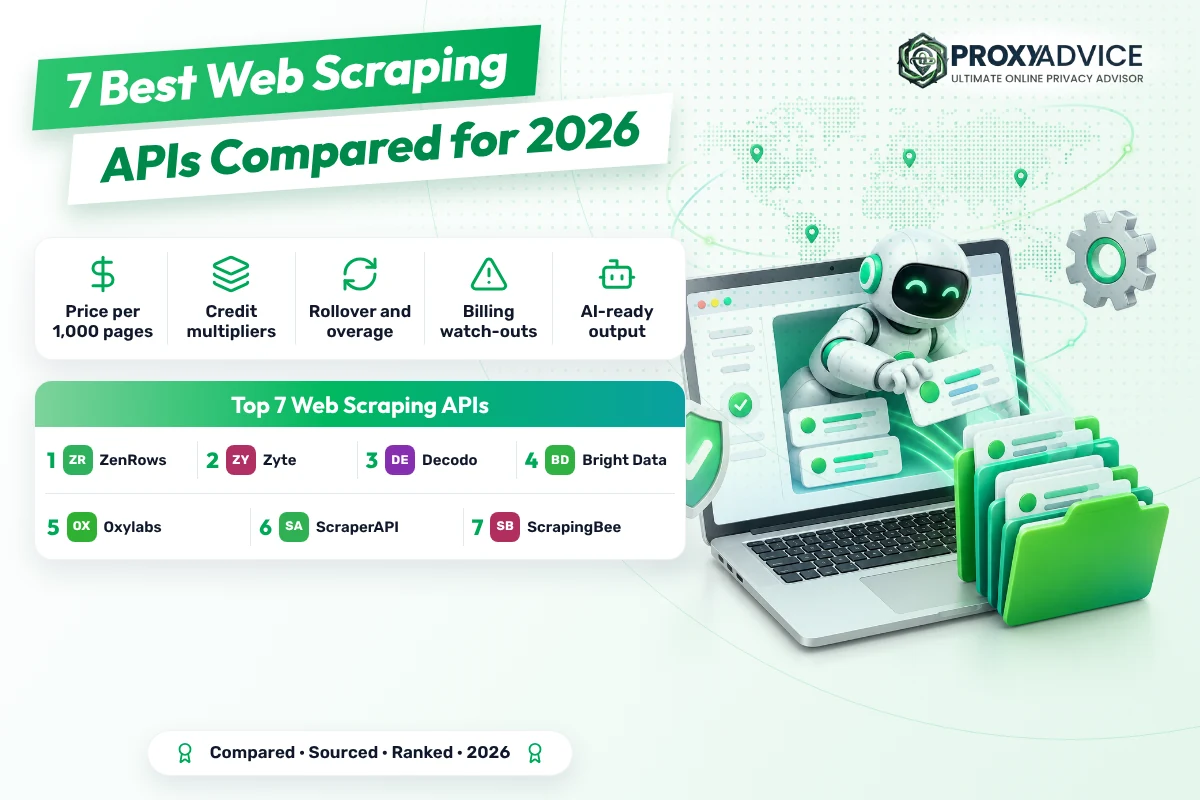
The best web scraping APIs in 2026 are ZenRows, Zyte and Decodo. ZenRows publishes fixed credit weights, bills only successful requests and rolls unused credits over once. Zyte prices each site by difficulty, from $0.13 per 1,000 simple HTTP pages pay as you go. Decodo starts at $19 a month with Markdown output and a 14-day money-back.
- Price your hardest page. A JavaScript page behind premium proxies costs 25 credits at ZenRows and ScrapingBee, and Zyte’s hardest browser tier runs $16.08 per 1,000 pay as you go.
- Read the renewal rules. ScraperAPI resets unused credits at renewal, ZenRows rolls them over once, and Zyte and Bright Data let you pay as you go with no plan at all.
- AI output is the new default. Decodo returns Markdown and runs an MCP server, Oxylabs sells AI parsing at $3 per 1,000 pages, and ScrapingBee lists ChatGPT and Gemini APIs.
What is a web scraping API?
A web scraping API is a paid endpoint that fetches a web page for you and hands back its content. You send a URL. The provider picks the IP, renders JavaScript if needed, gets past CAPTCHAs and retries failures, then returns HTML, JSON or Markdown. You pay per request, per result or in credits that depend on the page.
Two settings drive cost. JavaScript rendering loads the page in a real browser so content built by scripts appears. Premium proxies route the request through residential IPs (addresses from home internet lines) for sites that block data centers. Each one multiplies the price on credit-based plans.
As of 2026, the industry is shifting from raw HTML toward AI-ready output. Decodo returns Markdown and runs an MCP server for AI agents, ZenRows sells an Extract building block, Oxylabs charges $3.00 per 1,000 pages for AI parsing, and ScrapingBee’s credit table now lists ChatGPT and Gemini APIs.
Running your own scraper instead? Then you need IPs, not an API. Start with our best residential proxies, or the best datacenter proxies for lightly protected sites.
Short version: you’re not buying requests, you’re buying the multiplier on your hardest page.
Why pay for a scraping API instead of running proxies yourself?
Because blocks, CAPTCHAs and browser fingerprinting change faster than most teams can patch a scraper. A scraping API absorbs that work and, on most plans here, the cost of failed attempts. You trade some control for a single bill tied to pages that actually came back.
- Anti-bot handling built in: ScraperAPI, Decodo and Bright Data all list CAPTCHA and anti-bot handling, and Decodo uses browser fingerprinting to look like a real visitor.
- Pay for what lands: ZenRows and Decodo charge only for successful responses, and Bright Data says its pay-as-you-go plan bills success only.
- No browser fleet to run: JavaScript rendering is part of the request, so you don’t keep headless Chrome servers patched and scaled yourself.
- Elastic concurrency: Bright Data lists unlimited concurrency. ZenRows goes from 20 to 400 concurrent requests as you move up its plans.
- Structured output: JSON parsing at ScraperAPI, JSON or CSV at Bright Data and Markdown at Decodo save a cleaning step before your data is usable.
How do you avoid a surprise bill?
Most bills go wrong in the fine print, not the headline price. Before you commit, check six things on the provider’s page: the multiplier on your hardest page, what counts as success, when credits expire, the overage rule, the trial terms and whether the API fits your tools.
- Price your hardest pageWork out the cost for JavaScript plus premium proxies: 25 credits at ZenRows and ScrapingBee, 75 for ScrapingBee stealth, up to $16.08 per 1,000 at Zyte.
- Check what counts as successZenRows counts 404 and 410 responses as successful, so dead links still use credits. Clean your URL lists before a big run.
- Know when credits expireScraperAPI resets your balance at each renewal. ZenRows rolls unused plan credits over once. Pay-as-you-go plans avoid the question.
- Read the overage ruleScraperAPI offers pay-as-you-go overage only from its Scaling plan up. ZenRows sells top-ups instead, with optional automatic purchases at a threshold.
- Read the trial terms twiceScraperAPI’s page shows both a 7-day, 5,000-credit trial and a 1,000-credit free plan. Oxylabs’ description says $49 while its plans start at $30.
- Match the API to your stackBright Data’s Web Unlocker isn’t meant for Puppeteer or Playwright. ZenRows covers browser work through its Browser Sessions building block.
If part of your pipeline still runs on your own IPs, check them before you blame the API: test your proxies with GoToProxy. For signed-in sessions, static addresses from our best ISP proxies list hold up better than rotating ones.
Price the hardest page, cap the top-ups, then compare.
Which are the best web scraping APIs in 2026?
ZenRows wins on the thing that hurts most: knowing your bill. Its pricing docs fix the credit weights (1 for a basic request, 5 with JavaScript, 10 with premium proxies, 25 for both), charge only successful requests and roll unused plan credits over once. The watch-out: a hard page costs 25 times a basic one.
Plans start with a free tier of 5,000 credits a month, no card, then Build B1 at $19 for 45,000 credits with 20 concurrent requests. That works out to about $0.42 per 1,000 basic pages, or about $10.56 per 1,000 pages that need JavaScript and premium proxies. At Scale S3, $999 for 12.5 million credits, that hard page drops to about $2.00.
Three things worth knowing before you pay. A 404 or 410 counts as successful, so dead links still cost credits. There’s no pay-as-you-go overage: you buy top-ups, up to 10 per billing period, and you can switch on automatic purchases at a usage threshold. And an uptime and success-rate SLA comes only with Enterprise.
As of 2026, ZenRows sells four building blocks on one plan: Fetch, Extract, Batch and Browser Sessions. Residential proxies used on their own meter at 25,000 credits per GB on every plan. Paying yearly gives you two months free, with the full year’s credits up front.
- Credit weights: 1 basic, 5 JS, 10 premium, 25 JS plus premium
- Free plan: 5,000 credits a month, no card
- Build B1: $19 for 45,000 credits, 20 concurrent
- Unused plan credits roll over once
- Fetch, Extract, Batch and Browser Sessions on every plan
- Teams that need to forecast a monthly bill
- A mix of easy and hard targets on one plan
- Small projects that start under $20
- Published, fixed credit weights
- Only successful requests are charged
- Unused credits roll over once
- Free plan with no card
- 25 credits for a JS page behind premium proxies
- 404 and 410 responses are billed
- SLA only on Enterprise
| Plan | Price | Included | Per 1,000 basic pages |
|---|---|---|---|
| Free | $0 | 5,000 credits a month, 5 concurrent | Free |
| Build B1 | $19 a month | 45,000 credits, 20 concurrent | About $0.42 |
| Launch L2 | $99 a month | 500,000 credits, 50 concurrent | About $0.20 |
| Growth G1 | $199 a month | 1.2M credits, 100 concurrent | About $0.17 |
| Scale S3 | $999 a month | 12.5M credits, 200 concurrent | About $0.08 |
Per-1,000 prices here are worked out from plan price, credits and the published weights. The pricing docs state credits, not dollars per request. Legacy Developer, Startup and Business plans aren’t listed there anymore.
Verdict: Best for predictable bills; not ideal if most of your targets need JavaScript and premium proxies on a small plan.
Zyte API prices each website by how hard it is to scrape, across five tiers. Simple sites cost $0.13 per 1,000 HTTP responses pay as you go, and there’s $5 of free credit to try it for 30 days with no subscription. The watch-out: a hard site with browser rendering costs $16.08 per 1,000.
The pay-as-you-go table runs from $0.13 (Simple) to $1.27 (Advanced) per 1,000 HTTP responses, and from $1.01 to $16.08 with browser rendering. Monthly commitments of $100, $200 or $500 cut those rates. At $500, HTTP starts at $0.06 and browser rendering at $0.48. Enterprise gets further volume discounts, with no percentages listed.
You don’t choose the tier, the site does, so price a sample of your real targets before you commit. The headline says per 1,000 successful responses, while the table says per 1,000 requests, so confirm how failures are billed. The page also warns that some advanced features may add usage-based costs.
Zyte’s model reflects where the industry is heading: sites with stronger bot defences cost more to unlock, and the price says so openly instead of hiding it in credits. Geo-targeting by country and region is listed as a feature. Rate limits and support terms aren’t on the pricing page.
- Five difficulty tiers, HTTP or browser-rendered
- $0.13 to $1.27 per 1,000 HTTP responses, pay as you go
- $1.01 to $16.08 per 1,000 with a browser
- Monthly commitments of $100, $200 or $500
- $5 free credit for 30 days, no subscription
- Mostly simple sites at high volume
- Teams that want no subscription
- Buyers who prefer a price per site over credits
- Cheapest listed rate for simple sites
- No subscription needed
- $5 free credit
- Commitment rates from $0.06 per 1,000
- Hardest tier costs $16.08 per 1,000 with a browser
- The site’s tier, not you, sets the price
- Billing unit and rate limits aren’t clear on the page
| Plan | Price | Included | Per 1,000 basic pages |
|---|---|---|---|
| Pay as you go, Simple | $0.13 HTTP, $1.01 browser | Per 1,000 | $0.13 |
| Pay as you go, Moderate | $0.44 HTTP, $4.02 browser | Per 1,000 | $0.44 |
| Pay as you go, Advanced | $1.27 HTTP, $16.08 browser | Per 1,000 | $1.27 |
| $500 a month commitment | $0.06 to $0.61 HTTP | Per 1,000 | From $0.06 |
The AI Extraction product is linked from the pricing page, but its price isn’t shown there. The free credit comes with 30 days to use it, per the page.
Verdict: Best for large volumes of simple pages; not ideal if most targets sit in the top tiers.

Decodo offers the gentlest start: a free plan with no card, paid plans from $19 a month, a published request rate on every plan, and a 14-day money-back on paid plans. It returns LLM-ready Markdown and ships an MCP server for AI agents. The watch-out: credits scale with request complexity, and the page doesn’t publish the table.

Plans run $19, $49, $99 and $249 a month, with 10, 25, 50 and 100 requests per second. The $19 plan covers up to 19K crawls or 38K pages scraped, which works out to about $0.50 per 1,000 pages. The pricing menu says core scraping starts from $0.09 per 1,000 requests. You’re only charged for successful responses.
Read two lines twice. Billing is in credits based on actual request complexity, and the costs live in separate billing docs, so a JavaScript page may count for more than one. And the page advertises a 99.99% success rate while citing an independent Proxyway 2025 result of over 80% with JavaScript rendering and premium proxies.
Decodo leans hard into AI workflows as of 2026: Markdown output, an MCP server for Claude and other agents, plus n8n, LangChain and a TypeScript SDK. Output also comes as HTML, XHR, JSON, CSV or PNG where supported. Support is 24/7 by LiveChat or Discord, and you can cancel from the dashboard.
- Free plan: up to 5K crawls or 10K pages, no card
- $19 to $249 a month, 10 to 100 requests per second
- HTML, Markdown, XHR, JSON, CSV or PNG output
- MCP server, n8n and LangChain integrations
- 14-day money-back on paid plans, terms apply
- AI pipelines that want Markdown out of the box
- Small teams starting under $20
- Buyers who want a refund window
- Free plan with no card
- Request rate published per plan
- Successful responses only
- Markdown and MCP for AI agents
- Credit cost per request type isn’t on the page
- Independent result cited at over 80%, against 99.99% advertised
- No VAT or renewal terms on the page
| Plan | Price | Included | Per 1,000 basic pages |
|---|---|---|---|
| Free | $0 | Up to 5K crawls or 10K pages, 10 req/s | Free |
| $19 plan | $19 a month | Up to 19K crawls or 38K pages, 10 req/s | About $0.50 |
| $49 plan | $49 a month | Up to 65K crawls or 122K pages, 25 req/s | About $0.40 |
| $99 plan | $99 a month | Up to 141K crawls or 330K pages, 50 req/s | About $0.30 |
| $249 plan | $249 a month | Up to 383K crawls or 1.2M pages, 100 req/s | About $0.21 |
Per-1,000 figures are worked out from the pages-scraped cap and assume every page costs one credit. Heavier requests use more credits, so treat them as best cases.
Verdict: Best for AI-first projects on a small budget; not ideal if you need a fixed price per JavaScript page. Read the full Decodo review →

Bright Data’s Web Unlocker charges one rate, $1.50 per 1,000 requests pay as you go, and lists JavaScript rendering, CAPTCHA solving and fingerprinting among its features without naming a surcharge. Concurrency is unlimited and the free tier gives 5K requests a month. The watch-out: it’s the dearest option for easy pages.
Pay as you go is $1.50 per 1,000 requests, and you pay only for success. Scale is $499 a month with 383K requests included and $1.30 per 1,000 after that, cancel anytime. Enterprise adds volume discounts, an account manager and a premium SLA. The page also offers to match a first deposit dollar for dollar, up to $500.
Three things worth knowing. The menu says Web Unlocker starts from $1 per 1,000 while the plan card says $1.50, so check your dashboard rate. The success-only promise is written for pay as you go, not for Scale. And Web Unlocker isn’t meant for Puppeteer or Playwright; for browser automation the page points to a separate product.
Where it earns its place is hard targets. Since the page names no surcharge for rendering or CAPTCHAs, a flat $1.50 can undercut credit plans that multiply by 25 or more. Output can be parsed to JSON or CSV. Prices show in your local currency but are billed in US dollars.
- $1.50 per 1,000 requests pay as you go
- Scale: $499 a month for 383K requests
- Unlimited concurrency
- Free tier: 5K requests a month, no card
- 99.99% uptime (advertised)
- Heavily protected sites where multipliers add up
- Bursty jobs that need unlimited concurrency
- Teams that want a free monthly allowance
- One rate whatever the site, per the page
- Unlimited concurrency
- 5K free requests a month
- Pay only for success on pay as you go
- $1.50 per 1,000 is costly for easy pages
- Starting price stated two ways
- Not meant for Puppeteer or Playwright
| Plan | Price | Included | Per 1,000 basic pages |
|---|---|---|---|
| Free tier | $0 | 5K requests a month | Free |
| Pay as you go | $1.50 per 1,000 | Any amount, unlimited concurrency | $1.50 |
| Scale | $499 a month | 383K requests included | About $1.30 |
| Scale overage | $1.30 per 1,000 | Above 383K | $1.30 |
The page gives success as typically 100% in one place and near 100% in another, without a figure for hard targets. Confirm that rendering and CAPTCHA solving carry no surcharge before you rely on the flat rate.
Verdict: Best for hard, protected targets at one rate; not ideal for large volumes of easy pages. Read the full Bright Data review →

Oxylabs Web Scraper API lists dollar prices instead of credits: custom domains cost $1.00 per 1,000 results without JavaScript and $1.50 with it on the $30 Starter plan, falling to $0.75 and $1.22 on Enterprise. There’s $5 of welcome credit. The watch-out: its plan line-up changed between our October 7 and October 9 reads.
Plans are Starter at $30, Basic at $100 and Flexible at $500 a month, with Enterprise from $2,500. Custom-domain scraping costs $1.00, $0.90, $0.80 and $0.75 per 1,000 results without JavaScript, and $1.50, $1.40, $1.30 and $1.22 with it. Amazon pages start at $0.50 per 1,000. VAT may apply.
Mind the moving parts. On October 7 the same page listed Micro, Starter and Advanced plans at $49, $99 and $249; on October 9 it showed $30, $100 and $500, while its own description still says $49 a month. Rate limits and which status codes are billed weren’t on the page this time, so confirm both before you scale.
Oxylabs now sells AI parsing on top, at $3.00 per 1,000 parsed pages, a sign of the shift from raw HTML toward structured output for AI pipelines. Support is listed as 24/7 on every plan, with enterprise-grade security and compliance.
- Custom domains: $1.00 per 1,000 without JS, $1.50 with JS (Starter)
- Amazon from $0.50 per 1,000
- Plans: $30, $100, $500, Enterprise from $2,500
- AI parsing at $3.00 per 1,000 parsed pages
- $5 welcome credit
- E-commerce scraping at volume
- Teams that want dollar prices, not credits
- Buyers who need enterprise compliance
- Prices in dollars per 1,000 results
- JS rendering adds only $0.50 per 1,000 on Starter
- Amazon from $0.50 per 1,000
- 24/7 support on all plans
- Plan line-up changed between our two reads
- Rate limits not on the page
- VAT may apply on top
| Plan | Price | Included | Per 1,000 basic pages |
|---|---|---|---|
| Welcome credit | Free | $5 toward any product | Not applicable |
| Starter | $30 a month | Custom domains, no JS | $1.00 |
| Basic | $100 a month | Custom domains, no JS | $0.90 |
| Flexible | $500 a month | Custom domains, no JS | $0.80 |
| Enterprise | From $2,500 a month | Custom domains, no JS | $0.75 |
The page doesn’t label which result cap belongs to which plan, so this review doesn’t quote included volumes. Ask for the cap in writing when you pick a plan.
Verdict: Best for steady e-commerce and JS-heavy work at known dollar rates; not ideal until you’ve confirmed the current plan terms. Read the full Oxylabs review →
ScraperAPI publishes its credit costs in plain view: 1 credit for a standard page, 5 for Amazon, 25 for Google or Bing, 30 for LinkedIn, and 10 extra when it gets past Cloudflare, Datadome or PerimeterX. There’s a 7-day trial with 5,000 credits and a 7-day refund. The watch-out: unused credits vanish at renewal.
Hobby is $49 a month for 100,000 credits and 20 threads, Startup $149 for 1 million and 50 threads, Business $299 for 3 million and 100 threads. That puts a standard page at about $0.49 per 1,000 on Hobby and about $0.10 on Business. Paying yearly takes 10% off, and the top plans carry limited-time bonus credits.
Watch three rules. Your credit balance resets when the subscription renews. Pay-as-you-go overage exists only from Scaling up; on Hobby, Startup and Business you upgrade or ask for a custom plan. And geotargeting on Hobby and Startup covers the US and EU only. Concurrency overflow returns a 429 at no charge.
The pricing page was updated in July 2026, and a banner says ScraperAPI has acquired Traject Data, a move toward ready-made data products. JSON auto-parsing, async scraping and a no-code DataPipeline come with every plan, backed by a 99.9% uptime guarantee.
- Credits: 1 standard, 5 Amazon, 25 Google or Bing, 30 LinkedIn
- 10 extra credits on Cloudflare, Datadome or PerimeterX sites
- Hobby: $49 for 100,000 credits, 20 threads
- 7-day trial with 5,000 credits, no card
- 7-day no-questions refund
- Search and e-commerce targets with known credit costs
- Teams that want a refund window
- No-code collection with DataPipeline
- Credit costs published per target
- 7-day trial and 7-day refund
- 10% off when paying yearly
- A 429 on overflow costs nothing
- Credits reset at every renewal
- US and EU geotargeting only on the two cheapest plans
- Billing for failed requests isn’t stated
| Plan | Price | Included | Per 1,000 basic pages |
|---|---|---|---|
| Hobby | $49 a month | 100,000 credits, 20 threads | About $0.49 |
| Startup | $149 a month | 1M credits, 50 threads | About $0.15 |
| Business | $299 a month | 3M credits, 100 threads | About $0.10 |
| Scaling | $475 a month | 5M credits, 200 threads | About $0.10 |
The page offers two free deals, a 7-day trial with 5,000 credits and a free plan with 1,000 credits, and doesn’t say which applies to a new account. Geotargeting and support tiers also differ between its two plan tables.
Verdict: Best for search and shopping targets with clear credit math; not ideal if your usage swings month to month.
ScrapingBee keeps a detailed credit table, updated in August 2026: 1 credit for a basic page, 5 with JavaScript, 10 for a premium proxy, 25 for both and 75 for its stealth proxy. Plans start at $49.99 for 250,000 credits. The watch-out: stealth requests cost 75 times a basic one, and JavaScript can’t be switched off there.
Freelance is $49.99 a month for 250,000 credits and 10 concurrent requests, Startup $99.99 for 1 million and 50, Business $249.99 for 3 million and 100. A basic page works out to about $0.20 per 1,000 on Freelance, but a premium JavaScript page costs about $5.00 and a stealth page about $15.00. All prices exclude VAT.
The two help articles we read leave three questions open: whether failed requests use credits, whether unused credits roll over, and what the free trial includes. The plans article was last updated in October 2025, so check the live pricing page too. Custom plans can’t go below Business-level pricing.
Its credit table shows where scraping APIs are heading in 2026. Next to HTML, it lists a ChatGPT API and a Gemini API at 15 credits each, an Agentic search API at 3,750 credits and an AI query add-on at 5 extra credits per request.
- Credits: 1 basic, 5 JS, 10 premium, 25 premium plus JS, 75 stealth
- Google and Walmart: 10 light, 15 normal
- Freelance: $49.99 for 250,000 credits, 10 concurrent
- AI query add-on: 5 extra credits
- Prices exclude VAT
- Lightly protected sites at very low cost
- Teams adding AI extraction to scraping
- Google and Amazon pages at fixed credit costs
- Cheapest basic page on a small plan
- Detailed per-endpoint credit table
- AI query add-on for extraction
- Stealth requests cost 75 credits
- Failure billing, rollover and trial not on the pages read
- Prices exclude VAT
| Plan | Price | Included | Per 1,000 basic pages |
|---|---|---|---|
| Freelance | $49.99 a month | 250,000 credits, 10 concurrent | About $0.20 |
| Startup | $99.99 a month | 1M credits, 50 concurrent | About $0.10 |
| Business | $249.99 a month | 3M credits, 100 concurrent | About $0.08 |
| Business+ | $599.99 a month | 8M credits, 200 concurrent | About $0.075 |
Per-1,000 prices are worked out from plan price and credits for a basic request. The help articles read are dated October 2025 and August 2026; the live pricing page may differ.
Verdict: Best for cheap, simple pages; not ideal for heavily protected sites that need stealth.
What do the best web scraping APIs advertise?
These bars put each provider’s published numbers side by side. Nobody here ran a benchmark. Credit-based prices are worked out from plan price and credits, so they’re best cases for a basic page.
Figures are the ones each provider publishes, checked on October 9, 2026. They are advertised numbers, not test results.
How do the 7 best web scraping APIs compare?
One table, the same rows for every provider. Bold marks a clear plus. Every cell comes from the provider’s own pages, read on October 9, 2026.
| ZenRows Top | Zyte | Decodo | Bright Data | Oxylabs | ScraperAPI | ScrapingBee | |
|---|---|---|---|---|---|---|---|
| Free start | 5,000 credits a month, no card | $5 credit, 30 days | Free plan, up to 10K pages, no card | 5K requests a month, no card | $5 welcome credit | 7-day trial, 5,000 credits | Not on the pages read |
| Basic page per 1,000 | About $0.42 | $0.13 on simple sites | About $0.50 | $1.50 | $1.00 custom domains | About $0.49 | About $0.20 |
| Hardest request | 25 credits, JS plus premium | $16.08 per 1,000, top browser tier | Credits by complexity, not listed | No surcharge named | $1.50 with JS | 30 credits for LinkedIn | 75 credits for stealth |
| Billed when it fails? | No, but 404 and 410 count | Per successful response, table unclear | No | No, on pay as you go | Not on the page | Not stated | Not stated |
| Unused credits | Roll over once | No plan needed | Not stated | No plan needed | Not stated | Reset at renewal | Not stated |
| Concurrency, smallest plan | 20 concurrent | Not listed | 10 requests a second | Unlimited | Not listed | 20 threads | 10 concurrent |
| Refund window | Not stated | Not stated | 14-day money-back, terms apply | Not stated | Not stated | 7 days, no questions | Not on the pages read |
| AI-ready output | Extract building block | AI Extraction, price not listed | Markdown and an MCP server | JSON or CSV parsing | AI parsing, $3 per 1,000 pages | JSON auto-parsing | AI query add-on, 5 credits |
Which pricing model fits your scraping?
Four pricing models cover the market. Choose by how hard your targets are and how steady your volume is from month to month.
Best web scraping APIs: your questions
We read each provider’s pricing page or pricing docs on October 9, 2026, and the Oxylabs page also on October 7, then wrote down what they state. Per-1,000 prices for credit plans are worked out from plan price, credits and published weights. We ranked the seven on the cost of hard pages, billing rules, free start, concurrency, AI-ready output and page clarity. Nobody here ran a benchmark. Compare our picks with independent proxy ratings on ProxyRates and see all proxy rankings. Scores are our editorial rating built from published prices, features and terms. They are not lab measurements.