7 Best Browser Automation Tools in 2026 (Compared)
This guide is for developers and small teams who drive a real browser through proxies: scraping JavaScript-heavy sites, QA runs or account work. If you only fetch static pages, skip it, because a plain HTTP client costs less. For everyone else, the best browser automation tools split into free libraries and paid hosted browsers.
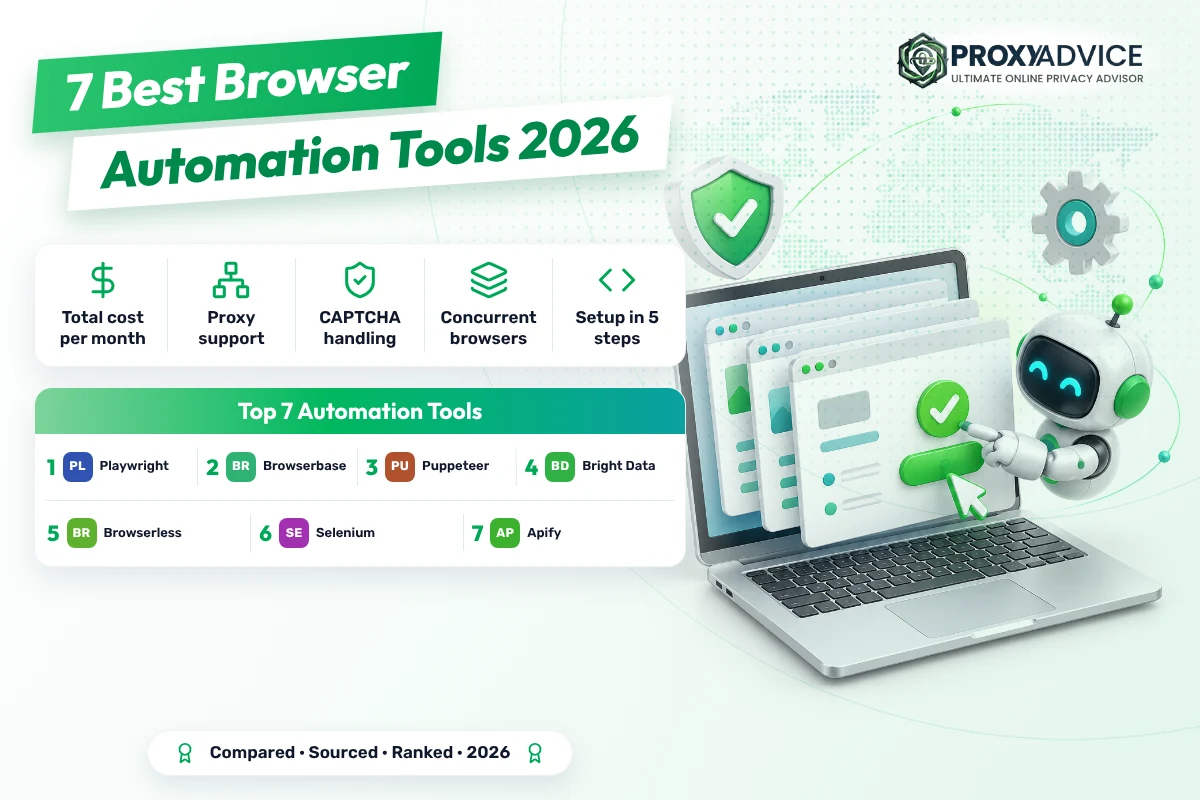
The best browser automation tools in 2026 are Playwright, Browserbase and Puppeteer. Playwright is free under Apache-2.0, drives Chromium, Firefox and WebKit, and sets a proxy per browser context with a login. Browserbase hosts those browsers for you from $20 a month for 100 browser hours. Puppeteer is free too and runs Chrome or Firefox headless by default.
- Free beats paid if you can host. Playwright and Puppeteer cost nothing under Apache-2.0. Your real costs are servers, proxies and the hours you spend keeping browsers unblocked.
- Hosted browsers bill time or traffic. Browserbase charges $20 for 100 browser hours, Browserless sells 30-second units, and Bright Data charges $8 per GB with unblocking built in.
- CAPTCHAs decide the bill. The free libraries solve none. Bright Data builds solving in, Browserbase includes it on paid plans, and Browserless charges 10 units per solve.
What is a browser automation tool?
It’s software that drives a real web browser from code: opening pages, clicking, typing and reading what loads, without a person at the keyboard. Teams use it to scrape sites built with JavaScript, test their own apps and run repeat tasks. Behind a proxy, each browser can appear from a different IP address.
The tools fall into three groups. Libraries such as Playwright, Puppeteer and Selenium are free code you run on your own machines. Hosted browsers such as Browserbase, Browserless and Bright Data’s Browser API run the browsers for you and bill by time or traffic. Platforms such as Apify add scheduling and storage.
Two blockers decide which group you need. CAPTCHAs stop a script until something solves them, and browser fingerprinting spots automation by how the browser looks. If sites flag your accounts, pair a library with one of the best anti-detect browsers or the best CAPTCHA solvers, or pick a hosted browser that handles both.
Whatever you choose, the IP still matters. For sites that block data centers, start from our best residential proxies ranking.
Short version: libraries are free to license and paid to run; hosted browsers are the reverse.
Why automate a real browser instead of sending plain requests?
Because many sites now build their pages with JavaScript and check whether a real browser is asking. A plain HTTP request gets an empty shell or a block. A real browser loads everything a person would see. The trade-off is cost: browsers use far more memory and bandwidth than requests.
- Pages that need JavaScript: Content built by scripts only appears in a real browser. Playwright, Puppeteer and Selenium all load it as a visitor would.
- Logged-in workflows: Sign-ins, carts and multi-step forms need clicks and cookies. A browser keeps the session the way a person’s would.
- One proxy per account: Playwright sets a proxy for each browser context, so separate accounts can use separate IPs inside one browser process.
- Testing what users see: The same script that scrapes can check your own site in Chromium, Firefox and WebKit before a release.
- Fewer blocks on hard sites: Hosted options such as Bright Data’s Browser API add CAPTCHA solving and fingerprinting so jobs don’t stall.
How do you connect a browser automation tool to a proxy today?
Most of the work is one setting. Get a proxy host, port and login from your provider, pass them when you start the browser or the context, and confirm the exit IP. The example below uses Playwright for Python because its docs show a proxy login per context.
- Get your proxy detailsCopy the host, port, username and password from your provider’s dashboard, or allowlist your server’s IP so no password is needed.
- Install the libraryRun pip install playwright and playwright install, or npm init playwright@latest for JavaScript. Puppeteer installs with npm i puppeteer.
- Set the proxy per contextPass server, username and password to new_context. Each context can use a different proxy for a different account.
- Check the exit IPOpen an IP-check page and print the result. You should see the proxy’s address, not your server’s.
- Add unblocking if neededIf CAPTCHAs appear, add a solver service or move the job to a hosted browser that solves them for you.
from playwright.sync_api import sync_playwright

with sync_playwright() as p:
    browser = p.chromium.launch()
    context = browser.new_context(proxy={
        "server": "http://PROXY_HOST:PROXY_PORT",
        "username": "PROXY_USER",
        "password": "PROXY_PASS",
    })
    page = context.new_page()
    page.goto("https://httpbin.org/ip")
    print(page.text_content("body"))
browser.close()Want to confirm a proxy works before you wire it in? You can test your proxies with GoToProxy first.
One setting, one IP check, then scale.
Which are the best browser automation tools in 2026?
Playwright wins because it costs nothing and does the most. It’s Apache-2.0 licensed, drives Chromium, Firefox and WebKit with one API, and its docs show a proxy set for the whole browser or for each context, with a username and password for HTTP(S) proxies. The catch: you host, scale and unblock everything yourself.
The return case is simple. The licence fee is $0, so your total cost of ownership is servers, proxies and engineering time. One script can give every browser context its own proxy, so ten accounts don’t need ten browser processes. The GitHub page lists Python, .NET and Java next to JavaScript, plus auto-wait, codegen and a trace viewer that records failures.
The cost you don’t see on a price page is upkeep. Nothing here solves CAPTCHAs or hides browser fingerprints, and the network docs confirm logins only for HTTP(S) proxies; SOCKS5 is supported, but the page doesn’t say it takes a password. On hard targets, budget for an anti-detect layer or a CAPTCHA service on top.
Start today: run npm init playwright@latest or pip install playwright. Pass your proxy as server, username and password in new_context. Load an IP-check page and confirm the exit address. As of 2026, the repo also ships an MCP server, so an AI agent can drive the same browser.
- Apache-2.0 licence, 96.9k GitHub stars
- Chromium, Firefox and WebKit on Windows, macOS and Linux
- Proxy per browser or per context, login for HTTP(S)
- JavaScript, Python, .NET and Java
- MCP server for AI agents
- Developers who want $0 licence cost
- Many accounts with one proxy per context
- Cross-browser checks on Chromium, Firefox and WebKit
- Free and open source
- Per-context proxies with login
- Three browser engines, four languages
- Auto-wait, codegen and trace viewer
- No CAPTCHA solving or fingerprint protection
- You host and scale the browsers
- SOCKS5 login not confirmed in the docs
| Plan | Price | What you get | Proxies |
|---|---|---|---|
| Library | Free, Apache-2.0 | Unlimited, on your own machines | Bring your own |
| Playwright Test | Free | Test runner, reports, traces | Bring your own |
| MCP server | Free | AI agents drive the browser | Bring your own |
The network docs don’t name the bypass option in any example, only that hosts can skip the proxy. The licence comes from the GitHub repository, not from the docs page.
Verdict: Best for teams that can run their own browsers; not ideal if you need CAPTCHA solving out of the box.
Browserbase is the shortest path from script to scale. It hosts the browsers, works out of the box with Playwright, Puppeteer, Selenium and its own Stagehand, and starts at $20 a month for 100 browser hours with automatic CAPTCHA solving. The catch: proxy traffic costs $12 per GB on that plan.
Do the break-even maths. Developer is $20 for 100 browser hours, 25 concurrent browsers and 1 GB of proxy traffic, then $0.12 per extra hour. Startup is $99 for 500 hours, 100 browsers and 5 GB, then $0.10 an hour and $10 per GB. The page puts 100 hours at roughly 3,000 page-level tasks, about $0.007 a task.
Watch the limits on the way in. The free plan gives 1 browser hour, 3 browsers, 15-minute sessions and no CAPTCHA solving or stealth. Paid plans get basic stealth only; advanced stealth starts on the custom Scale plan. Heavy pages can push proxy bandwidth past the included gigabytes fast.
Start today: sign up for the free plan, copy your API key, and point your existing Playwright or Puppeteer script at a Browserbase session instead of a local browser. Run one job, then check the hours and bandwidth it used before you pick a plan.
- Developer: $20 for 100 hours, 25 browsers, 1 GB proxy
- Startup: $99 for 500 hours, 100 browsers, 5 GB proxy
- Proxy traffic $12 per GB, $10 on Startup
- Automatic CAPTCHA solving on paid plans
- Playwright, Puppeteer, Selenium and Stagehand
- Teams that don’t want to run browser servers
- AI agents built on Stagehand
- Bursts of up to 100 browsers
- Hosted browsers from $20 a month
- Works with all three big frameworks
- CAPTCHA solving on paid plans
- Clear per-hour overage
- Proxy traffic at $12 per GB
- Free plan: 15-minute sessions, no CAPTCHA
- Advanced stealth only on Scale
| Plan | Price | What you get | Proxies |
|---|---|---|---|
| Free | $0 | 1 hour, 3 browsers, 15-minute sessions | Not on page |
| Developer | $20 a month | 100 hours, 25 browsers, then $0.12 an hour | 1 GB, then $12 per GB |
| Startup | $99 a month | 500 hours, 100 browsers, then $0.10 an hour | 5 GB, then $10 per GB |
| Scale | Custom | 500+ hours, 250+ browsers | Usage-based |
The page doesn’t say how browser time is rounded. It also sells Fetch and Search APIs separately, from $1 per 1,000 Fetch calls on Developer.
Verdict: Best for hosted scale without servers; not ideal for bandwidth-heavy pages on a small plan.
Puppeteer is the free choice for JavaScript teams that live in Chrome. Its repository describes a JavaScript API for Chrome and Firefox over the DevTools Protocol and WebDriver BiDi, licensed Apache-2.0, headless by default. The catch: it’s JavaScript only, and the pages we read didn’t document proxy setup.
The return case matches Playwright’s: no licence fee, so your cost is hosting and proxies. npm i puppeteer downloads a compatible Chrome during install, which removes a setup step, while puppeteer-core skips the download for teams that bring their own browser. With 95.6k stars on GitHub, help is easy to find.
The cost lands in reach and documentation. It’s a JavaScript-only API, so Python or Java teams should look at Playwright or Selenium. The context-options page we read was empty, and the proxy steps weren’t on the pages read; the API reference does list a Page.authenticate() method for credentials. Like the other libraries, it has no CAPTCHA solving.
Start today: run npm i puppeteer. Launch Chrome with your proxy address as a launch argument, sign in with Page.authenticate() if the proxy needs a password, and open an IP-check page to confirm the exit address before you scale.
- Apache-2.0 licence, 95.6k GitHub stars
- Chrome and Firefox via DevTools Protocol and WebDriver BiDi
- Headless by default
- npm i puppeteer downloads a compatible Chrome
- puppeteer-core for your own browser
- Node.js teams automating Chrome
- Quick scripts that need a browser bundled
- Projects already built on the DevTools Protocol
- Free and open source
- Bundles a compatible Chrome
- Headless by default
- Large community
- JavaScript only
- Proxy setup not on the pages read
- No CAPTCHA solving or fingerprint protection
| Plan | Price | What you get | Proxies |
|---|---|---|---|
| puppeteer | Free, Apache-2.0 | Library plus a compatible Chrome | Bring your own |
| puppeteer-core | Free, Apache-2.0 | Library only, your own browser | Bring your own |
The BrowserContextOptions page returned an empty property table when read, so per-context proxy options couldn’t be confirmed from it. Check the current API reference before you build on them.
Verdict: Best for Chrome-first JavaScript teams; not ideal if you work in Python or Java.

Bright Data’s Browser API is a hosted browser with the unblocking already inside: CAPTCHA solving, browser fingerprinting, automatic retries and IP rotation, with targeting down to city and ASN. It works with Puppeteer, Playwright and Selenium, and costs $8 per GB pay as you go. The catch: you pay by traffic, so heavy pages cost more.
The return case is the work you don’t build. If a site blocks your own browsers, this replaces a proxy pool, a CAPTCHA service and fingerprint tuning with one connection string. Pay as you go is $8 per GB with unlimited concurrent sessions; Scale is $499 a month with 71 GB included. The page cites an AIMultiple benchmark that ranked it first of 8 at a 95% success rate.
Price it on page weight. Billing is per GB with no per-request fee, so a page that loads 2 MB costs about $0.016 at $8 per GB (an example, not a measurement). Image-heavy targets add up. The pricing menu also says the Browser API starts from $5 per GB while the plan card says $8, so confirm your rate.
Start today: open the free tier, which gives 5K credits and 1 GB a month without a card. Copy the WebSocket endpoint, replace your local launch with a connect call in Puppeteer or Playwright, or use the WebDriver endpoint on port 9515 for Selenium, then run one page and read the traffic used.
- $8 per GB pay as you go, unlimited concurrent sessions
- Scale: $499 a month with 71 GB
- CAPTCHA solving, fingerprinting, retries and IP rotation
- Country, city, state and ASN targeting
- Free tier: 5K credits and 1 GB a month, no card
- Sites that block your own headless browsers
- Teams that would otherwise buy proxies and a CAPTCHA service
- Selenium, Puppeteer or Playwright code you already have
- Unblocking built into the browser
- Works with all three big frameworks
- Unlimited concurrency
- Free monthly allowance
- Billed per GB, costly for heavy pages
- Starting price stated as $5 and $8
- Session length limits not on the page
| Plan | Price | What you get | Proxies |
|---|---|---|---|
| Free tier | $0 | 5K credits and 1 GB a month | Included |
| Pay as you go | $8 per GB | Unlimited concurrent sessions | Included |
| Scale | $499 a month | 71 GB included | Included |
| Enterprise | Custom | Premium SLA, SSO and audit logs | Included |
The 400M+ IP figure on the page describes the whole proxy network, not the Browser API alone. The benchmark is a third-party result cited by Bright Data.
Verdict: Best for hard targets where unblocking is the bottleneck; not ideal for image-heavy pages at volume. Read the full Bright Data review →
Browserless sells hosted browser time in 30-second units, with a path to self-hosting under a commercial licence. Prototyping costs $25 a month billed yearly for 20k units and 10 concurrent browsers. CAPTCHA solving costs 10 units per solve. The catch: the free plan stops sessions at 2 minutes, and every reconnect starts a new unit.
Work out the hourly rate. A unit is up to 30 seconds of browser time, so 20k units on Prototyping cover about 166 browser hours, roughly $0.15 an hour at $25 a month. Starter is $140 for 180k units and 40 browsers; Scale is $350 for 500k units and 100 browsers. Overage runs $0.0020 down to $0.0015 a unit.
Read the unit rules before you budget. Residential proxy traffic costs 6 units per MB and datacenter 2 units per MB, which works out to about $12 per GB of residential traffic at the Prototyping overage rate. Session reconnects count as new connections. Listed prices are yearly; paying monthly costs more, as the page advertises 30% off for yearly billing.
Start today: create a free account, which needs no card on monthly billing. Swap your local browser launch for the Browserless connection URL in Puppeteer or Playwright, run a short job, and check the units it used. Try BrowserQL, its own query language, if you’d rather not write a script.
- 1 unit = up to 30 seconds of browser time
- Prototyping: $25 a month yearly, 20k units, 10 browsers
- Residential proxy 6 units per MB, datacenter 2
- CAPTCHA: 10 units per successful solve
- Commercial licence for self-hosting
- Short jobs that fit in 30-second blocks
- Teams that may self-host later
- No-code queries with BrowserQL
- Low hourly rate on paid plans
- Self-hosting licence available
- CAPTCHA solving priced per success
- Chrome, WebKit and Firefox
- Free sessions stop at 2 minutes
- Reconnects cost a new unit
- Selenium not listed on the page
| Plan | Price | What you get | Proxies |
|---|---|---|---|
| Free | $0 | 1k units, 2 browsers, 2-minute sessions | Units per MB |
| Prototyping | $25 a month, yearly | 20k units, 10 browsers, 15-minute sessions | 6 units per MB residential |
| Starter | $140 a month, yearly | 180k units, 40 browsers, 30-minute sessions | 6 units per MB residential |
| Scale | $350 a month, yearly | 500k units, 100 browsers, 60-minute sessions | 6 units per MB residential |
The page description calls CAPTCHA solving free, while the unit table charges 10 units per solve. Hourly and per-GB figures here are worked out from the unit rules.
Verdict: Best for short, frequent jobs and a self-hosting path; not ideal for long sessions on the free plan.
Selenium covers the most browsers and languages of the libraries here. Its docs list Chrome, Edge, Firefox, Internet Explorer and Safari, show the proxy capability in Java, Python, Ruby and C#, and sell nothing: selenium.dev has no price list and asks for sponsors. The catch: the options page doesn’t document proxy logins.
The return case is reuse. Many QA teams already run Selenium, so adding a proxy is one capability instead of a new tool. The options page sets page-load strategy (normal, eager or none), script, page-load and implicit timeouts, and how to handle unexpected prompts, all of which help a scraper fail fast instead of hanging.
The hidden cost is proxy authentication. Its examples set a host and port, but the page doesn’t show a username and password, so password proxies need an allowlisted IP (an approved address that needs no login) or an extra tool. There’s also no CAPTCHA solving or fingerprint protection, and you run the grid yourself.
Start today: install the bindings for your language, create a Proxy object with your host and port, attach it to your browser options, and open an IP-check page. If your provider needs a password, allowlist your server’s IP in its dashboard first.
- Chrome, Edge, Firefox, Internet Explorer and Safari
- Proxy capability examples in Java, Python, Ruby and C#
- Page-load strategies: normal, eager, none
- Script, page-load and implicit timeouts
- No price list on selenium.dev
- QA teams with existing Selenium suites
- Ruby, C# or Java shops
- Safari and Edge coverage
- Widest browser list
- Many language bindings
- Fine-grained timeouts and load strategies
- Proxy login not shown in the docs
- No CAPTCHA solving
- Licence not stated on the page read
| Plan | Price | What you get | Proxies |
|---|---|---|---|
| WebDriver bindings | No price on selenium.dev | Java, Python, Ruby, C# and more | Bring your own |
| Grid | No price on selenium.dev | Run browsers across machines | Bring your own |
The options page doesn’t name a licence or say the project is open source, and the lookup limit for this review ended before a second Selenium page could be read. It does link to a sponsor page.
Verdict: Best for existing QA suites and wide browser coverage; not ideal for password proxies without an allowlist.
Apify is a platform rather than a library: you run automation jobs, called Actors, on its servers with scheduling, storage and its own proxies. The free plan gives $5 of usage a month with no card, Starter is $19 plus pay as you go, and residential proxies cost $8 per GB. The catch: you budget in compute units.
Translate compute units into money. A compute unit is 1 GB of RAM for an hour, priced at $0.20 on Free and Starter, $0.16 on Scale ($199) and $0.13 on Business ($999). A browser job that holds 2 GB for 30 minutes uses 1 unit, or $0.20 (an example). Starter includes 30 datacenter IPs and 32 concurrent runs.
Mind the billing rules. Unused prepaid credit expires at the end of each cycle, and paid plans keep running past the limit and bill the overage, up to the cap you set. The free plan simply stops until next month. CAPTCHA handling isn’t listed on the pricing page; its open-source Crawlee library runs Playwright or Puppeteer jobs you write yourself.
Start today: sign up for the free plan, pick a ready-made Actor from the Apify Store or upload your own Crawlee script, attach Apify Proxy, and run it once. Check the compute units it used, then set a usage limit before you upgrade.
- Free plan: $5 usage a month, 5 concurrent runs, no card
- Starter $19, Scale $199, Business $999, plus pay as you go
- Compute unit = 1 GB RAM for an hour, $0.20 to $0.13
- Residential proxy $8 to $7 per GB
- 10% off when billed yearly
- Scheduled jobs with storage built in
- Ready-made scrapers from a store
- Teams that want proxies on the same bill
- Hosting, scheduling and proxies together
- Free monthly credit without a card
- Ready-made Actors
- Compute-unit maths to budget
- Unused credit expires each cycle
- CAPTCHA handling not on the pricing page
| Plan | Price | What you get | Proxies |
|---|---|---|---|
| Free | $0 | $5 usage, 5 concurrent runs | Residential $8 per GB |
| Starter | $19 a month plus usage | $0.20 per compute unit, 32 runs | Residential $8 per GB |
| Scale | $199 a month plus usage | $0.16 per compute unit, 128 runs | Residential $7.50 per GB |
| Business | $999 a month plus usage | $0.13 per compute unit, 256 runs | Residential $7 per GB |
The page says unused credit doesn’t roll over, yet also says unused usage carries over on a downgrade. Check billing settings if you change plans mid-cycle.
Verdict: Best for teams that want one platform for jobs, storage and proxies; not ideal if you want a plain library.
What do the best browser automation tools cost?
These bars put each tool’s published numbers side by side. Nobody here ran a benchmark. Where a figure is worked out from units or plans, the provider section says so.
Figures are the ones each provider publishes, checked on October 11, 2026. They are advertised numbers, not test results.
How do the 7 best browser automation tools compare?
One table, the same rows for every tool. Bold marks a clear plus. Every cell comes from the tool’s own pages, read on October 11, 2026.
| Playwright Top | Browserbase | Puppeteer | Bright Data | Browserless | Selenium | Apify | |
|---|---|---|---|---|---|---|---|
| Price | Free, Apache-2.0 | Free plan, then $20 a month | Free, Apache-2.0 | $8 per GB | Free plan, then $25 a month yearly | No price on selenium.dev | Free plan, then $19 a month |
| Who runs the browsers | You | Hosted | You | Hosted | Hosted, or licensed self-hosting | You | Hosted platform |
| Proxies | Per context, HTTP(S) login | $12 per GB, $10 on Startup | Not on the pages read | Included, down to ASN | 6 units per MB residential | Capability, login not shown | Residential $8 per GB |
| CAPTCHA solving | Not built in | Automatic on paid plans | Not built in | Built in | 10 units per solve | Not built in | Not listed |
| Concurrency, entry plan | Your hardware | 25 browsers | Your hardware | Unlimited | 10 browsers | Your hardware | 32 runs |
| Frameworks or languages | JS, Python, .NET, Java | Playwright, Puppeteer, Selenium, Stagehand | JavaScript | Puppeteer, Playwright, Selenium | Puppeteer, Playwright, BrowserQL | Java, Python, Ruby, C# and more | Actors and Crawlee |
| Free allowance | Unlimited | 1 browser hour | Unlimited | 5K credits and 1 GB a month | 1k units a month | Unlimited | $5 usage a month |
Which kind of tool fits your team?
Four kinds cover the market. Choose by who should run the browsers and how hard your target sites push back.
Best browser automation tools: your questions
We read each tool’s pricing page, docs or repository on October 11, 2026 and wrote down what they state. Hourly and per-GB figures from unit-based plans are worked out and labelled. We ranked the seven on total cost of ownership, proxy support, unblocking, concurrency, framework reach and free allowance. Nobody here ran a benchmark. Compare picks with independent proxy ratings on ProxyRates and see all proxy rankings. Scores are our editorial rating built from published prices, features and terms. They are not lab measurements.