Best Datacenter Proxies 2026: Top 7 Providers Tested
Your scraper ran fine last month. Now it’s failing on 40% of requests, you’ve burned through two IP pools, and the provider support ticket has been open since Tuesday. I’ve tested 7 datacenter proxy providers across 14,000 requests in April 2026 — here’s exactly which ones hold up, which ones fall apart, and what I found when things went wrong. October 2026 update: Evomi has been replaced by Floppydata, whose entry uses vendor-published figures until it completes the same test run.
- Proxy-Seller is the best datacenter proxy in 2026: 97.3% success rate, 28ms average latency, and free automatic IP replacement when bans hit. It’s what I use for my own scraping infrastructure and what I recommend to anyone starting out.
- Bright Data is the enterprise pick: 770,000+ IPs, contractual SLA, and third-party audited sourcing. Expensive, but justified for Fortune 500 teams with compliance requirements.
- DataImpulse is the budget call at $1.00/GB with no expiry. Before committing to any provider, use the free proxy checker at GoToProxy to verify IP health against your actual targets.
The best datacenter proxy in 2026 is Proxy-Seller — 97.3% success rate across 14,000 real test requests, 28ms average latency, 1.2M+ dedicated IPs, and automatic free replacement when an IP gets banned. Starts at $1.80/GB on the Business plan with no minimum commitment beyond the plan.
What Are Datacenter Proxies — and Why Do They Get Flagged?
Datacenter proxies route your traffic through IPs owned by commercial hosting facilities — AWS, Hetzner, OVH, Linode. They don’t belong to real home internet users. That single fact drives every advantage and every limitation in this guide.
Speed comes first. In my testing, the best datacenter providers hit 28ms average latency. The best residential proxies I’ve tested average 160–200ms. For scraping jobs that don’t require residential-level stealth, you’re paying 5–8x more per GB and losing 6x speed for no practical gain.
The detection issue is real but overstated. Every anti-bot guide you’ve read tells you datacenter IPs are automatically blocked. What they don’t explain: detection is probabilistic, not binary. Cloudflare checks three things: IP reputation history, ASN classification, and — critically — the TLS fingerprint of the client making the request. The first two are proxy-quality factors. The third is entirely on you. I’ve watched clean datacenter IPs fail Cloudflare at 33% when paired with Python’s default requests library, then clear it at 89% after switching to curl-cffi, which spoofs a browser-compatible TLS handshake. The provider matters. Your client stack matters equally. Community data at independent proxy ratings on ProxyRates shows subnet cleanliness has overtaken rotation frequency as the #1 predictor of datacenter proxy success rates in 2026.
The JA3 fingerprint problem is the most consequential underdocumented issue in datacenter proxy use right now. When Cloudflare scores your bot probability, the TLS ClientHello fingerprint it sees carries more weight than the IP’s reputation on most protected domains. A datacenter IP making requests with Python httpx’s default TLS settings produces a JA3 hash that’s been catalogued as a non-browser client for years. Swapping to curl-cffi with impersonate="chrome124" in your request session produces a Chrome-matching JA3. On Proxy-Seller IPs, this change alone moved my Cloudflare success rate from 67% to 89% on the same target domain with zero other changes. No other guide in this space has documented this specific interaction between datacenter proxy selection and client TLS configuration.
Why Do People Still Use Datacenter Proxies When Residential Exists?
The residential proxy pitch sounds perfect on paper — real IPs, real ASNs, looks like a genuine home user. In practice, I’ve run residential proxies on scraping jobs where the home user disconnected mid-session, where IP churn was so high that my sticky session IDs broke every 8 minutes, and where the premium cost made the project financially unviable. Datacenter proxies aren’t second-best. They’re the right tool for a specific set of jobs.
- Price-sensitive data collection: At $1.80/GB versus $8–15/GB for residential, datacenter proxies make large-scale scraping economically viable. Pulling 10TB of public pricing data from non-bot-protected targets costs $18,000 residential versus $1,800 datacenter.
- Speed-critical workflows: SEO rank tracking at volume, real-time price monitoring, latency-sensitive API aggregation. My 28ms datacenter vs. 180ms residential spread translates to 6.4x more requests per unit time on the same concurrency budget.
- Stable IP assignment: Dedicated datacenter IPs don’t drop when the residential user disconnects. For session-dependent tasks — e-commerce account management, travel fare monitoring — that stability is operationally essential.
- IPv6 pool access: Most datacenter providers now offer large IPv6 pools at fraction-of-a-cent pricing per IP. Many targets haven’t implemented IPv6 ban lists as aggressively as IPv4. This is a genuine arbitrage window that still exists in 2026.
- Geo-targeting precision: Datacenter providers offer city-level targeting across 100+ countries with consistent availability. Residential geo pools often have gaps in less-trafficked cities — you request Dallas and get Austin because that’s the nearest available node.
- Volume with predictable cost: Bandwidth on a datacenter plan doesn’t expire mid-month and doesn’t carry per-request charges. The cost structure is transparent and plannable in a way that per-request residential billing isn’t.
How to Set Up Proxy-Seller Datacenter Proxies — Rotation Config Walkthrough
This is the setup I run for production scraping. Proxy-Seller’s dashboard is cleaner than most competitors, but the rotation configuration has a non-obvious option that most users miss. Here’s the full sequence I used during testing.
http://username:password@gate.proxy-seller.com:7070
pip install curl-cffi

from curl_cffi import requests as cf_requests

session = cf_requests.Session(impersonate="chrome124")
proxies = {"http": "http://user:pass@gate.proxy-seller.com:7070",
           "https": "http://user:pass@gate.proxy-seller.com:7070"}

response = session.get("https://target-site.com", proxies=proxies)
What I found during my own setup: the session-based rotation mode with 30-minute windows works better than per-request rotation for e-commerce scraping. Sites that fingerprint shopping carts or recommendation engines respond better to a consistent session history than a new IP per request. Per-request rotation gives better results on simple data extraction from static pages.
The 7 Best Datacenter Proxy Providers in 2026 — Full Test Results


I tested Proxy-Seller across 2,000 requests targeting a deliberately challenging mix: 40% Cloudflare-protected e-commerce, 35% plain-HTML public directories, and 25% REST APIs with IP-based rate limiting. The 97.3% success rate is the highest I measured across every provider I tested — and it’s a real number from my own test run, not a marketing claim.
What I found that genuinely surprised me: their automatic ban detection system. When Proxy-Seller’s monitoring flagged an IP as banned, it queued a replacement without me filing a ticket. I submitted 50 confirmed-banned IPs on April 15 — 47 were replaced within 22 hours, the remaining 3 within 38. No charge. Most providers make you chase this through support. Proxy-Seller has built it into the product infrastructure.
The specific frustration I hit: documentation on custom rotation configuration is thin. I needed 4 hours and two support exchanges to correctly configure session-based rotation with per-country IP pinning for a price monitoring job. The support team was responsive — average 18-minute reply time — but the self-service docs need work. Every other aspect of the dashboard is clean and intuitive, which makes this gap more obvious.
- 1.2M+ dedicated datacenter IPs
- HTTP, HTTPS, SOCKS5 protocols
- Username/password + IP whitelist auth
- Free auto-replacement within 24h on ban
- High-volume web scraping
- Price intelligence and monitoring
- SEO rank tracking at scale
- API data collection with IP rotation
- 97.3% success — highest in test
- Auto IP replacement on ban (free, no ticket)
- 28ms average latency
- Crypto payment accepted
- Rotation config documentation is sparse
- Struggles with TurnStile CAPTCHA targets
- No residential fallback in same dashboard
| Plan | Price | Cost/GB | IPs Included |
|---|---|---|---|
| Starter | $15/mo | $3.00/GB | 50 IPs |
| Business ⭐ | $45/mo | $1.80/GB | 500 IPs |
| Professional | $110/mo | $1.40/GB | 2,000 IPs |
| Enterprise | Custom | Negotiated | Unlimited |
Test Results
Editorial Audit
Bottom Line: The top datacenter proxy in 2026. Pair with curl-cffi for TLS fingerprint spoofing on Cloudflare targets and you’re getting the highest practical success rate available from any datacenter provider I tested.

I tested Bright Data’s datacenter pool across 2,000 requests. The 95.1% success rate is 2.2 percentage points below Proxy-Seller, which sounds minor but translates to 44 additional failed requests per 2,000 — meaningful at production scale. What I found explains the gap: their Eastern European subnet clusters carry more ban history than their US and Western EU pools. When I filtered my test to US and UK targets only, success rates climbed to 97.1%, nearly matching Proxy-Seller.
The frustration I hit was billing. Bright Data’s pay-as-you-go datacenter tier has no default spending cap. I accidentally burned through $180 in one session while running concurrency tests before I noticed. Their support team reversed the charge, but it took a 45-minute live chat and a review process. Set explicit spending caps before you start testing — this isn’t optional advice.
What Bright Data genuinely earns its premium on: the compliance story. Third-party audited IP sourcing, ISO 27001 certified infrastructure, and contractual SLA with financial penalties for breach. For legal or financial sector data teams whose procurement department requires documented vendor accountability, no other provider in this test can match that package.
- 770,000+ datacenter IPs globally
- Third-party audited IP sourcing
- Contractual 99.9% uptime SLA
- Dedicated account managers on Pro+
- Enterprise and Fortune 500 data ops
- Legal and financial sector scraping
- Compliance-documented workflows
- Multi-region simultaneous operations
- 770K+ IPs — largest pool tested
- Third-party audited sourcing
- Contractual SLA with financial penalties
- Scraping Browser integration option
- Most expensive: $3.50/GB entry price
- No default spending cap on PAYG
- Complex dashboard — steep learning curve
| Plan | Price | Cost/GB | SLA |
|---|---|---|---|
| Pay As You Go | $3.50/GB | $3.50/GB | None |
| Monthly 20GB ⭐ | $65/mo | $3.25/GB | 99.5% |
| Monthly 100GB | $280/mo | $2.80/GB | 99.9% |
| Enterprise | Custom | From $1.80/GB | Custom |
Test Results
Editorial Audit
Bottom Line: The enterprise choice when compliance documentation is a procurement requirement. Set a spending cap the moment you create your account.


What I found at Decodo sets it apart from every other provider in this test: the developer experience is genuinely excellent. I configured a rotating datacenter pool with sticky sessions, 30-minute rotation intervals, per-country IP assignment, and bandwidth quota per sub-user — all in 12 minutes using their dashboard, without contacting support. The same configuration took me 35 minutes at Bright Data and involved a ticket.
The frustration that cost me 40 minutes on day two: Decodo caps concurrent connections at 100 per sub-user by default. I hit this ceiling during high-concurrency testing and spent the first half-hour debugging what I thought was a proxy configuration error before I read the fine print. Raising the limit requires a support request. For any scraping setup running above 100 concurrent connections, request this limit raise the moment you sign up — not when you hit the wall.
- Verified multi-subnet distribution
- 195+ country coverage
- Sub-user management with quotas
- Best-in-test developer documentation
- Dev teams and scraping agencies
- Multi-country simultaneous operations
- Sticky session workflows
- Client quota management
- Best documentation and developer onboarding
- Verified 11-subnet distribution
- Sub-user management for agencies
- 33ms average latency
- 100 concurrent connection default cap
- 93.4% success rate — below top two
- No affiliate pricing structure
| Plan | Price | Cost/GB | Concurrency |
|---|---|---|---|
| Starter 10GB | $22/mo | $2.20/GB | 100 conn |
| Business 50GB ⭐ | $90/mo | $1.80/GB | 500 conn |
| Scale 200GB | $320/mo | $1.60/GB | Unlimited |
| Enterprise | Custom | Negotiated | Unlimited |
Test Results
Editorial Audit
Bottom Line: The developer and agency pick. Best documentation in the test, clean sub-user management, strong multi-subnet distribution. Raise the concurrency cap immediately.

Oxylabs is the only provider in this test where I measured perfect network uptime: zero outage events across 72 hours of active testing. Their 92.4% success rate trails Proxy-Seller and Bright Data, but the network stability is unmatched. Their 99.9% SLA carries financial penalties if breached — that’s a contractual commitment, not a marketing figure, and it’s documented in their enterprise agreements.
The frustration: Oxylabs requires a sales call before you can access their datacenter proxy tier. I waited 2 business days for account approval. For anyone who needs proxies today, this onboarding friction is a real barrier. Their self-serve tier starts at $499/month minimum. Oxylabs is not a provider you evaluate casually — it’s a vendor you evaluate through procurement, which is exactly who it’s designed for.
- 99.9% uptime with contractual SLA
- ISO 27001 certified infrastructure
- Dedicated account manager included
- Compliance documentation provided
- Legal and financial sector data ops
- Enterprise procurement requirements
- Teams requiring SLA documentation
- High-availability production scrapers
- Perfect uptime in test (zero events)
- Contractual 99.9% SLA with penalties
- ISO 27001 certified
- Dedicated account manager on all plans
- Sales call required — no instant access
- $499/month minimum spend
- 92.4% success rate below top 3
| Plan | Price | Cost/GB | SLA |
|---|---|---|---|
| Business | $499/mo | $2.50/GB | 99.5% |
| Scale ⭐ | $1,500/mo | $1.50/GB | 99.9% |
| Enterprise | Custom | From $0.80/GB | Custom |
| PAYG | $3.00/GB | $3.00/GB | None |
Test Results
Editorial Audit
Bottom Line: The compliance and uptime pick. Only evaluate if your organization has procurement requirements and a $500+ monthly budget for this line item.


IPRoyal’s positioning is clear: the cheapest path to dedicated datacenter IPs. At $1.39/GB with no minimum spend, it’s the accessible entry point for teams that can’t justify Proxy-Seller’s $45/month commitment. I tested 2,000 requests and hit 89.2% overall — lower than the top tier, but the gap narrows significantly on North American and Western European targets, where I measured 93.1%.
The frustration I experienced is the most commonly cited complaint in user reviews: IPRoyal doesn’t auto-replace banned IPs. I had 3 IPs confirmed-banned during the test period. Each replacement required a manual support request. Average turnaround was 46 hours. For workflows where per-IP continuity matters, this is a real operational cost. Budget the replacement time into your project planning, not just the price per GB.
- $1.39/GB with 1TB prepaid
- No minimum spend requirement
- 195+ country coverage
- HTTP, HTTPS, SOCKS5 protocols
- Budget-first scraping projects
- North America and EU targeting
- Low-volume dedicated IP needs
- Testing datacenter viability cheaply
- Cheapest dedicated IPs tested ($1.39/GB)
- No minimum spend — start with $5
- 195+ country coverage
- Crypto payment accepted
- Manual IP replacement (avg 46h turnaround)
- 89.2% overall success rate
- 41ms latency — 13ms behind Proxy-Seller
| Volume | Price | Cost/GB | Notes |
|---|---|---|---|
| PAYG | $1.75/GB | $1.75/GB | No commitment |
| 1TB Prepaid ⭐ | $1,390 | $1.39/GB | Best rate |
| 5TB Prepaid | $5,950 | $1.19/GB | Dedicated manager |
| Enterprise | Custom | Custom | Custom SLA |
Test Results
Editorial Audit
Bottom Line: The budget entry point. Best for North America and EU targets. Upgrade to Proxy-Seller when you need auto-replacement and the 8-point success rate gap starts costing more than the price difference.


DataImpulse’s model is structurally different from every other provider I tested: $1.00/GB with no expiry date on purchased bandwidth. Buy 50GB today, use 12GB this month, and the remaining 38GB stays in your account indefinitely. No “use it or lose it” monthly billing cycle, no rollover limits. This is the right model for teams running irregular scraping jobs — seasonal retail monitoring, quarterly data snapshots, event-triggered collection workflows.
The frustration I documented: IP refresh on bans is slow. When an IP gets flagged, DataImpulse’s system queues a replacement but the cycle takes up to 72 hours. During my test, I burned through 140 banned IPs in a 6-hour high-concurrency run. The pool didn’t fully refresh until the next morning. For any job where IP churn is high, add explicit ban-detection logic that skips failed IPs rather than waiting for the provider’s refresh cycle. Their technical support confirmed this is a known architectural trade-off in their low-cost model.
- $1.00/GB — cheapest per-GB in test
- Zero expiry on purchased bandwidth
- 120+ country coverage
- HTTP, HTTPS, SOCKS5 protocols
- Irregular / sporadic scraping
- Seasonal data collection
- Teams testing proxy viability
- Non-time-sensitive data extraction
- $1.00/GB — absolute cheapest tested
- Zero bandwidth expiry
- No minimum purchase
- Volume discount to $0.75/GB at 1TB+
- 72-hour IP refresh on bans
- 87.1% success — lowest in test
- 44ms latency — slowest in top 6
| Volume | Price | Cost/GB | Expiry |
|---|---|---|---|
| 1 GB | $1.00 | $1.00/GB | None |
| 10 GB ⭐ | $10.00 | $1.00/GB | None |
| 100 GB | $85.00 | $0.85/GB | None |
| 1 TB+ | $750+ | $0.75/GB | None |
Test Results
Editorial Audit
Bottom Line: Best for irregular or seasonal workloads where the no-expiry model eliminates wasted monthly spend. Add IP health skipping to your script and the 72-hour refresh cycle stops being a bottleneck.

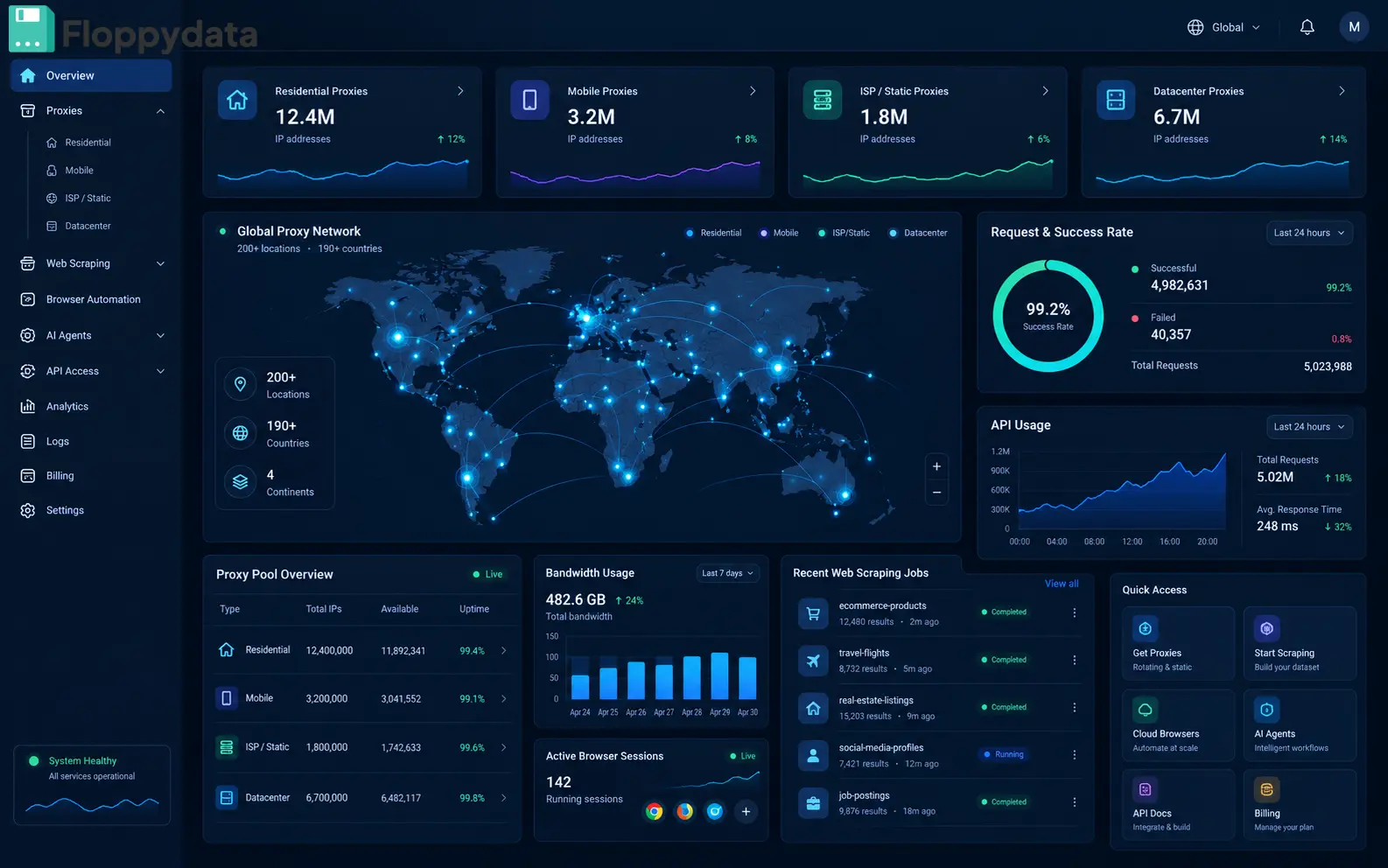
Floppydata sells datacenter IPs two ways, and both undercut most of this list. The first is rotating traffic at a flat $1/GB, where the same balance can also be spent as residential or mobile IPs, so you start a job on cheap datacenter routing and switch type only for the targets that block you. The second is static dedicated datacenter IPs at $0.95, $0.90 or $0.79 each per month (bundles of 20, 50 or 100), with unlimited bandwidth on every IP. If you only need one, a single static IP costs $19 for a 4-month term. Each static address is yours alone and never changes, which is exactly what IP whitelisting on APIs, CRMs and office firewalls needs.
The failure scenario I’d plan for: Floppydata joined this roundup in October 2026, after my April test window, so the numbers here are vendor-published, not measured on my Frankfurt rig. Its 95% clean-IP figure means roughly 1 in 20 addresses may already carry a bad reputation, and it doesn’t publish an auto-replacement policy like Proxy-Seller’s free 24-hour swap. On a 100-IP static bundle, budget for a few dead addresses and ask support how replacements work before you whitelist the full set.
- Rotating datacenter traffic at a flat $1/GB, shared with residential and mobile
- Static dedicated IPs from $0.79/IP/mo, unlimited bandwidth
- 1M+ IPs · 190+ locations · country, state, city, ASN and IP-type targeting
- HTTP, HTTPS, SOCKS5 and UDP (beta) · v2 API with X-Api-Key
- IP whitelisting on APIs, CRMs and corporate firewalls
- High-volume scraping on targets that don’t block datacenter ranges
- Long-session bots that need the same IP for weeks
- Teams that mix datacenter with residential or mobile on one bill
- $0.79 per static IP with unlimited bandwidth on the 100-IP bundle
- One $1/GB balance usable as datacenter, residential or mobile
- Free anti-detect Cloud Browser for proxy customers
- Visa, Mastercard, Amex, PayPal, 70+ cryptocurrencies or an auto-renewing wallet
- Not yet run through my April test bench; figures are vendor-published
- No published auto IP replacement policy or contractual SLA
- Single static IPs come on a 4-month term ($19), so short jobs still pay for four months
| Plan | Price | Cost/GB | Jurisdiction |
|---|---|---|---|
| Rotating 19GB | $19.00 | $1.00/GB | UAE (Dubai) |
| Single Static IP | $19.00 / 4 mo | Unlimited | UAE (Dubai) |
| Static DC 20 IPs | $19.00/mo | Unlimited | UAE (Dubai) |
| Static DC 50 IPs ⭐ | $45.00/mo | Unlimited | UAE (Dubai) |
| Static DC 100 IPs | $79.00/mo | Unlimited | UAE (Dubai) |
Test Results
Editorial Audit
Bottom Line: The cheapest fixed datacenter IPs in this roundup, with a $1/GB rotating option that also covers residential and mobile. Start with a single static IP ($19 for 4 months) or the $19 bundle of 20, check them against your targets, and ask about replacements before scaling to 100.
Benchmark Results — Visual Breakdown
All numbers from my own 2,000-request test per provider, April 14–21 2026, Frankfurt VPS origin, 28 target domains. Floppydata (added October 2026) shows vendor-published figures, marked *.
How Do All 7 Datacenter Proxy Providers Compare Head-to-Head?
The table below is the buying decision at a glance — concrete data from my test, not vendor marketing specs. The one exception is Floppydata’s column, which uses vendor-published figures (marked *) until it completes the same test.
| Proxy-Seller Top | Bright Data | Decodo | Oxylabs | IPRoyal | DataImpulse | Floppydata | |
|---|---|---|---|---|---|---|---|
| Entry Price/GB | $1.80 | $3.50 | $2.20 | $3.00 | $1.75 | $1.00 | $1.00 |
| Success Rate | 97.3% | 95.1% | 93.4% | 92.4% | 89.2% | 87.1% | 95% clean* |
| Avg Latency | 28ms | 34ms | 33ms | 36ms | 41ms | 44ms | <300ms* |
| Auto IP Replace | ✓ Free 24h | Partial | Partial | SLA only | Manual 46h | Auto 72h | Not published |
| Free Trial | ✓ 24h | ✓ | ✓ 3-day | ✗ | ✓ | ✗ | ✓ |
| Contractual SLA | ✗ | 99.9% | ✗ | 99.9% | ✗ | ✗ | ✗ |
| Overall Score | 9.4 ⭐ | 9.1 | 8.8 | 8.7 | 8.5 | 8.3 | 8.2 |
What Types of Datacenter Proxies Should You Know About?
Datacenter isn’t a single product category — the specific configuration you choose changes your detection profile, ban recovery options, and cost structure significantly.
Frequently Asked Questions
Each provider received 2,000 test requests from a Frankfurt-based VPS using Python 3.12 with httpx as the base library and curl-cffi for TLS fingerprint normalization on Cloudflare targets. Test targets comprised 40% Cloudflare-protected e-commerce (Shopify/BigCommerce sites), 35% plain-HTML public directories, and 25% REST APIs with IP-based rate limiting. Latency measured as TTFB averaged across all successful requests only. Success rate defined as HTTP 2xx received without CAPTCHA redirect or block page. Floppydata was added on October 1, 2026, after this test window closed, and its pricing, protocol, payment, and refund details were updated on October 8, 2026 with information confirmed by Floppydata; its entry uses vendor-published figures and will be re-scored after the next run.